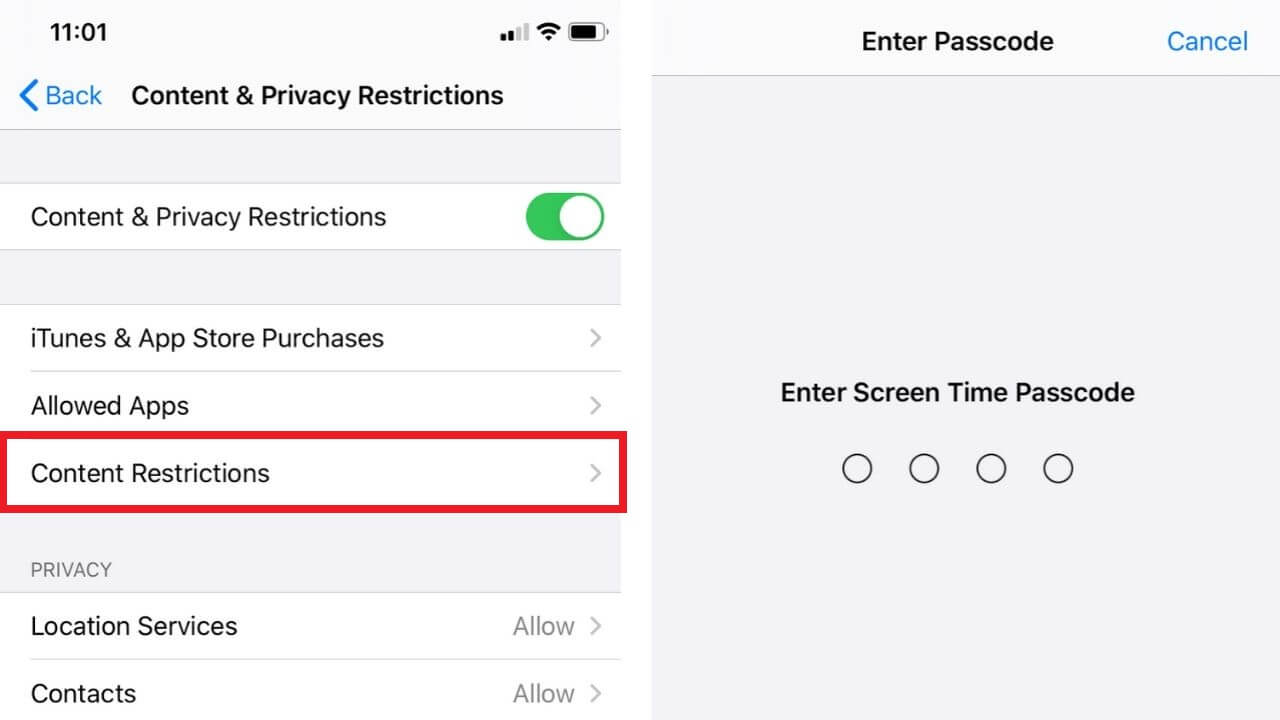
How to Hide or Block Age Restricted Apps In Iphone
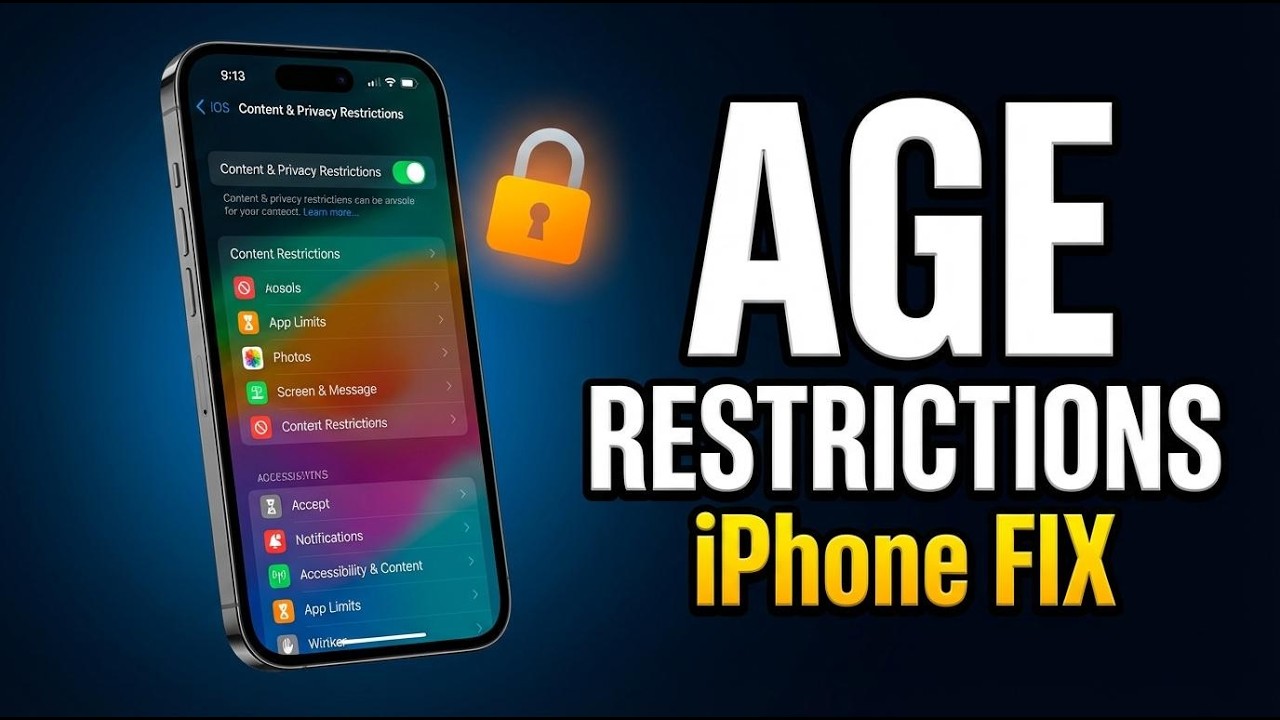
Learn how to set up age restrictions for apps to ensure a safe and secure digital environment for yourself or your family.
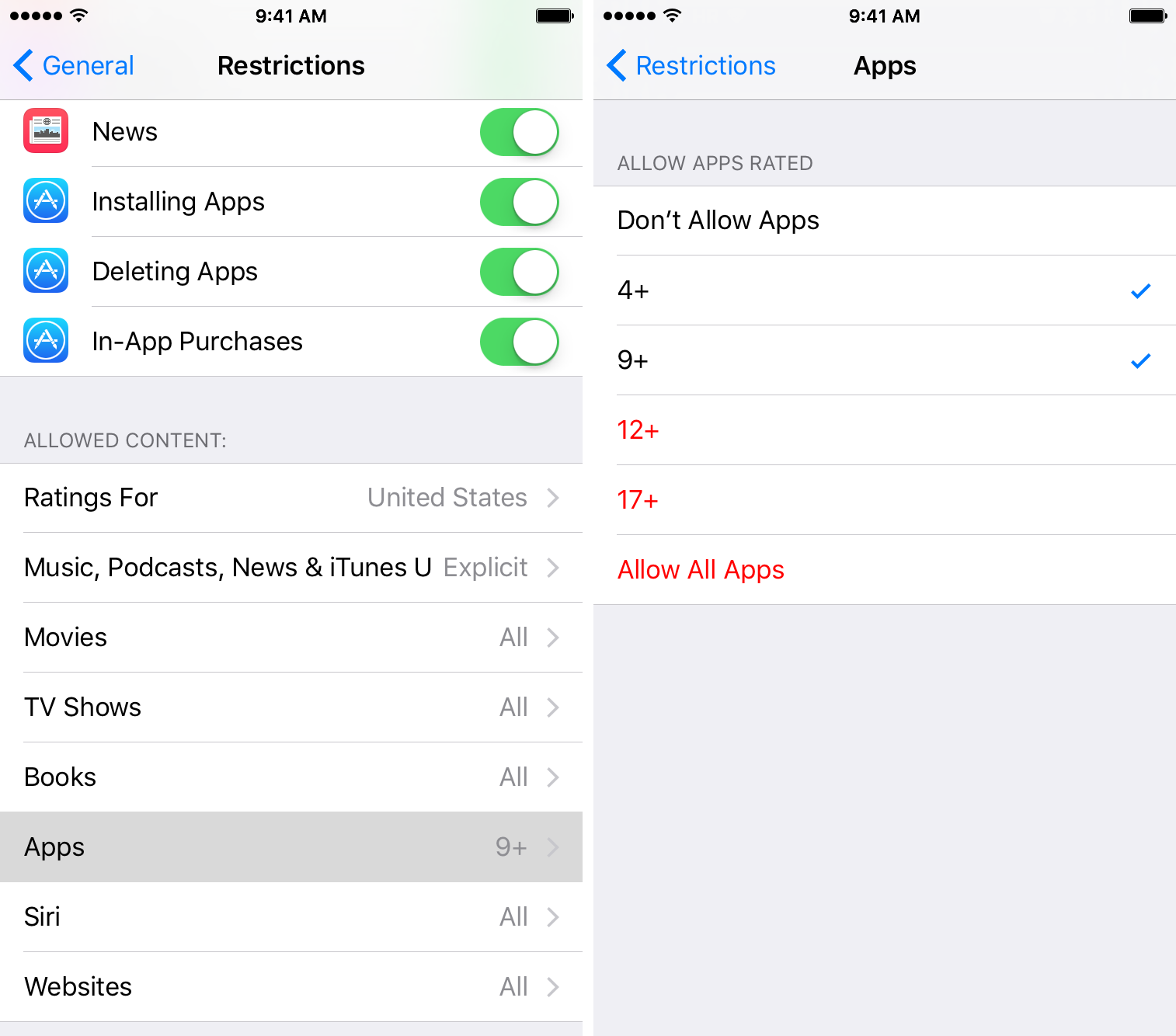
Furthermore, visual representations like the one above help us fully grasp the concept of Hide Age Restricted Apps Iphone.
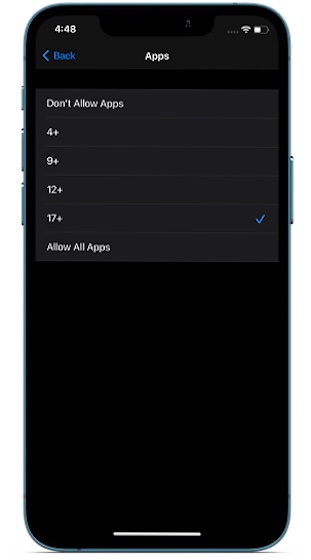
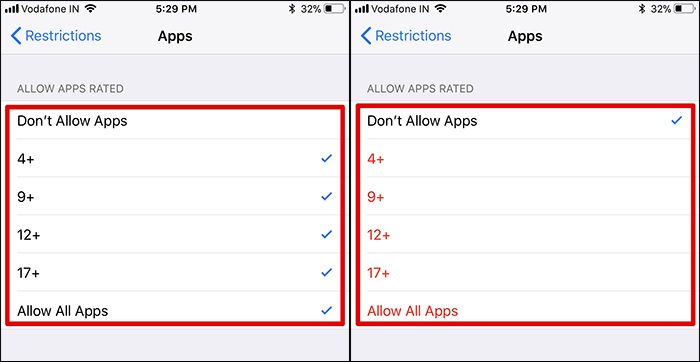
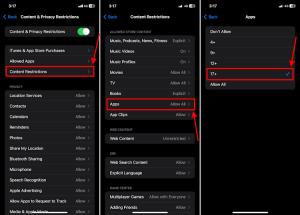
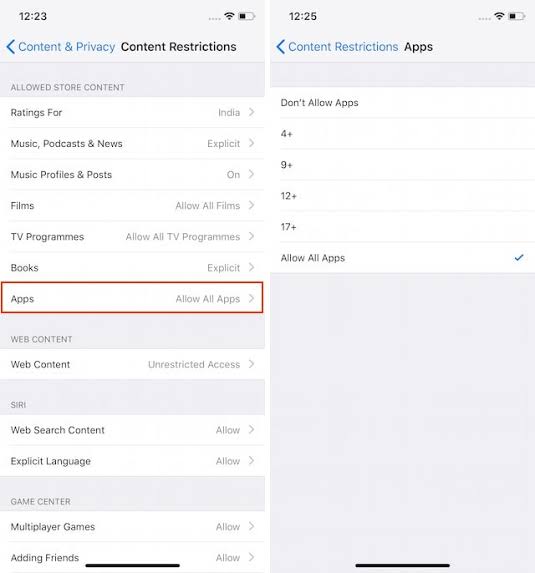
My young teenager has an iPhone with parental controls turned on. One setting will only allow apps rated 12+. I prefer 12+ as a default setting, but there are a couple of 17+ apps that I find acceptable which won't run. Is there a way to override age restrictions for specific apps ? If so, how?
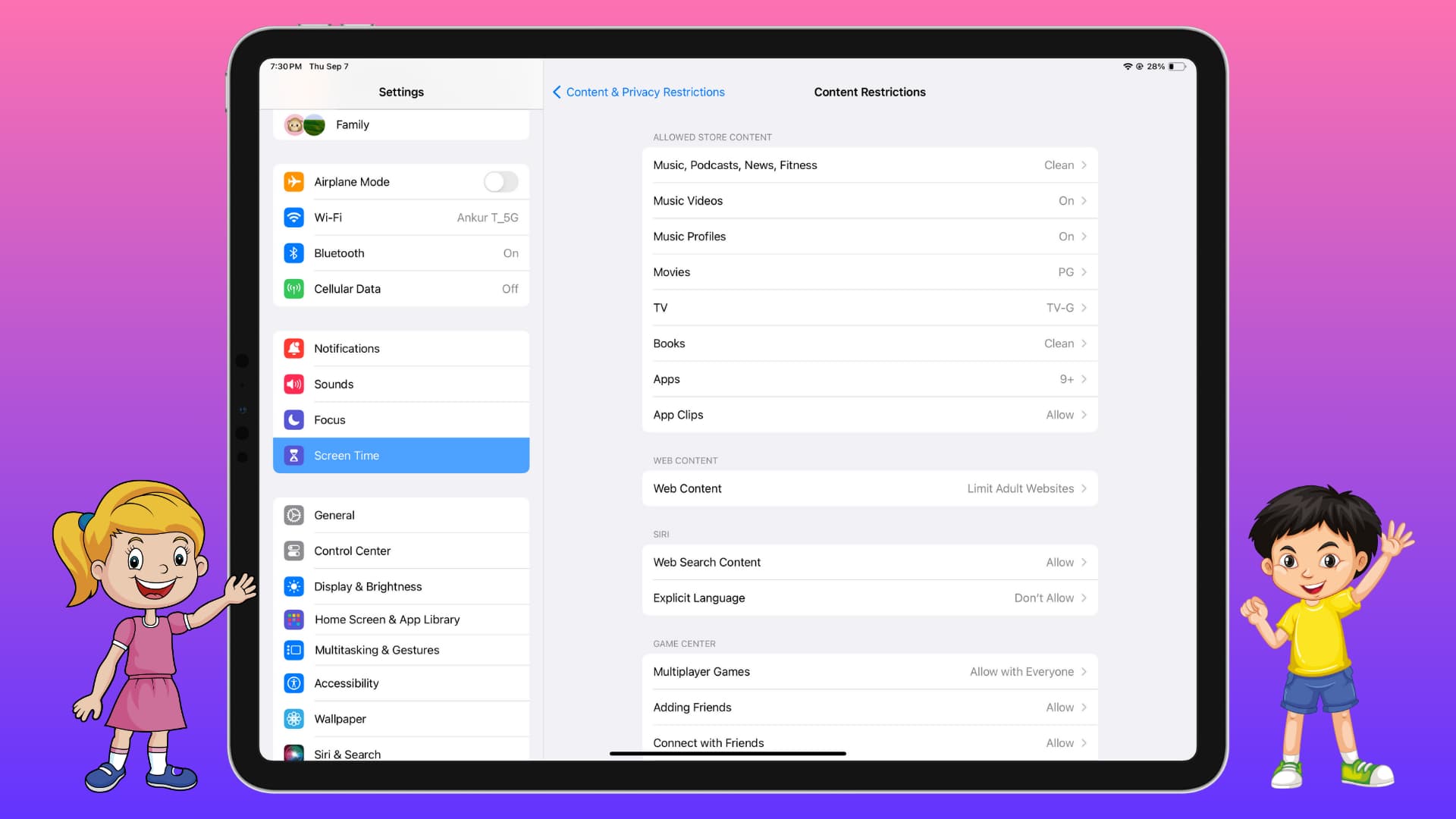
How To Change Age Restriction On iPhone 2025 (Step

Moving forward, it's essential to keep these visual contexts in mind when discussing Hide Age Restricted Apps Iphone.
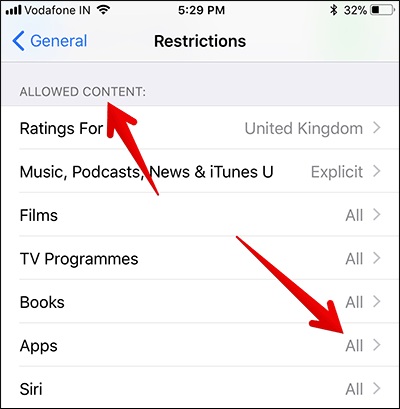
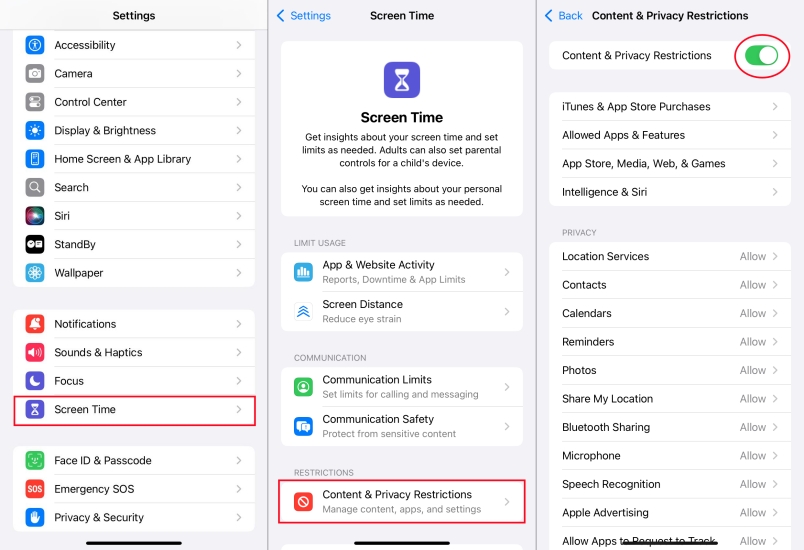
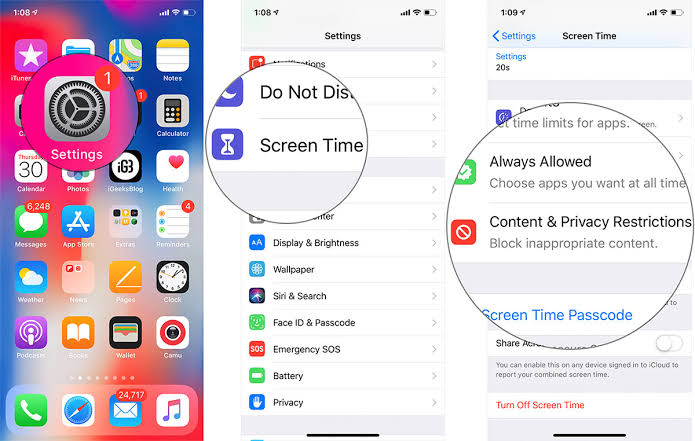
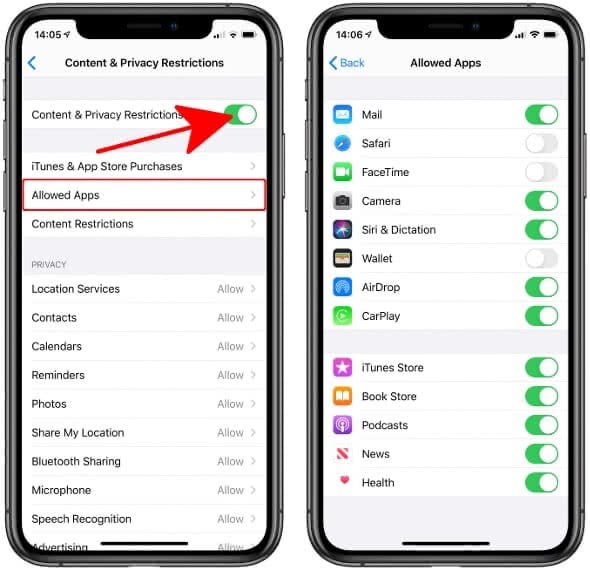
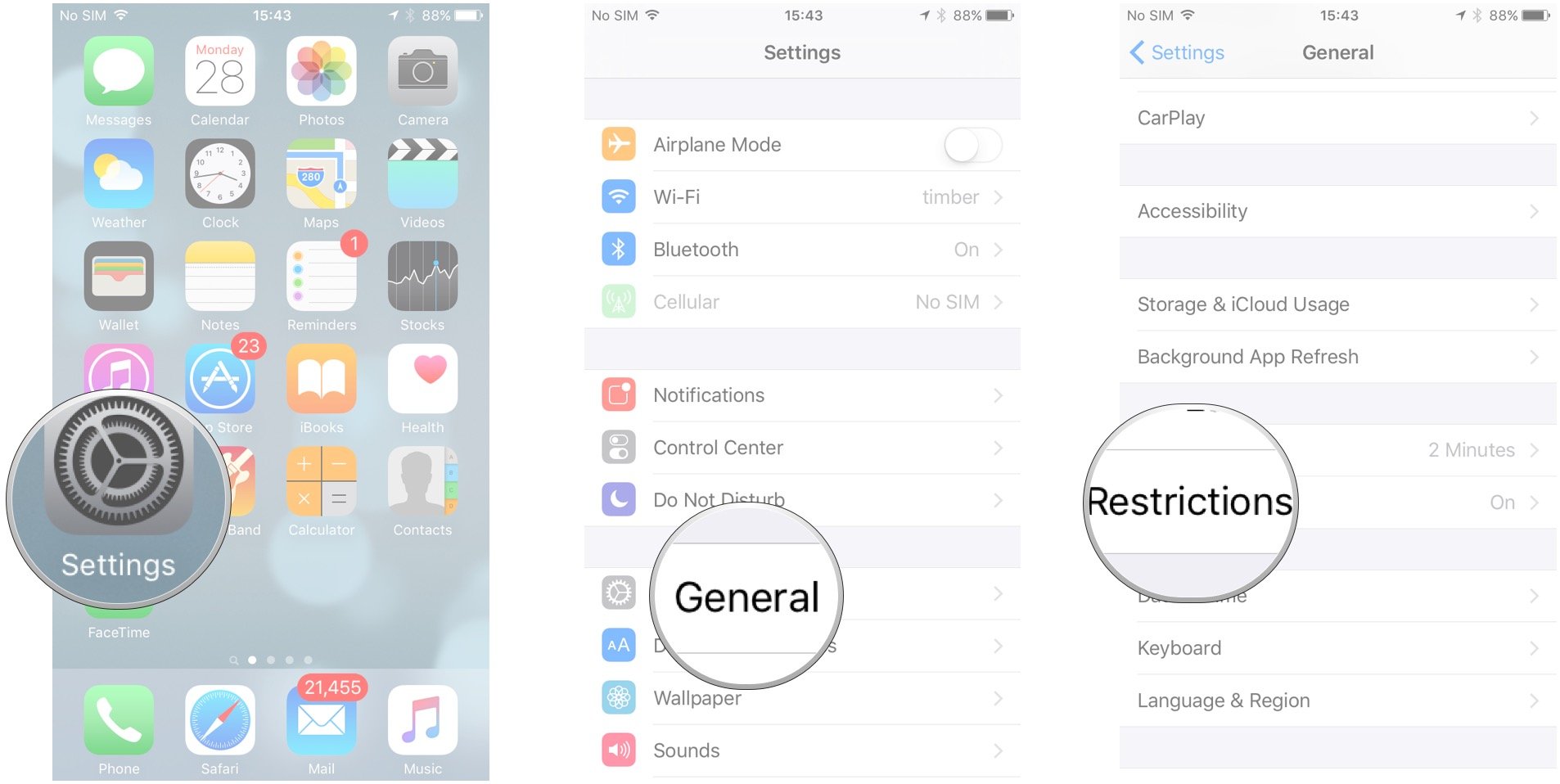
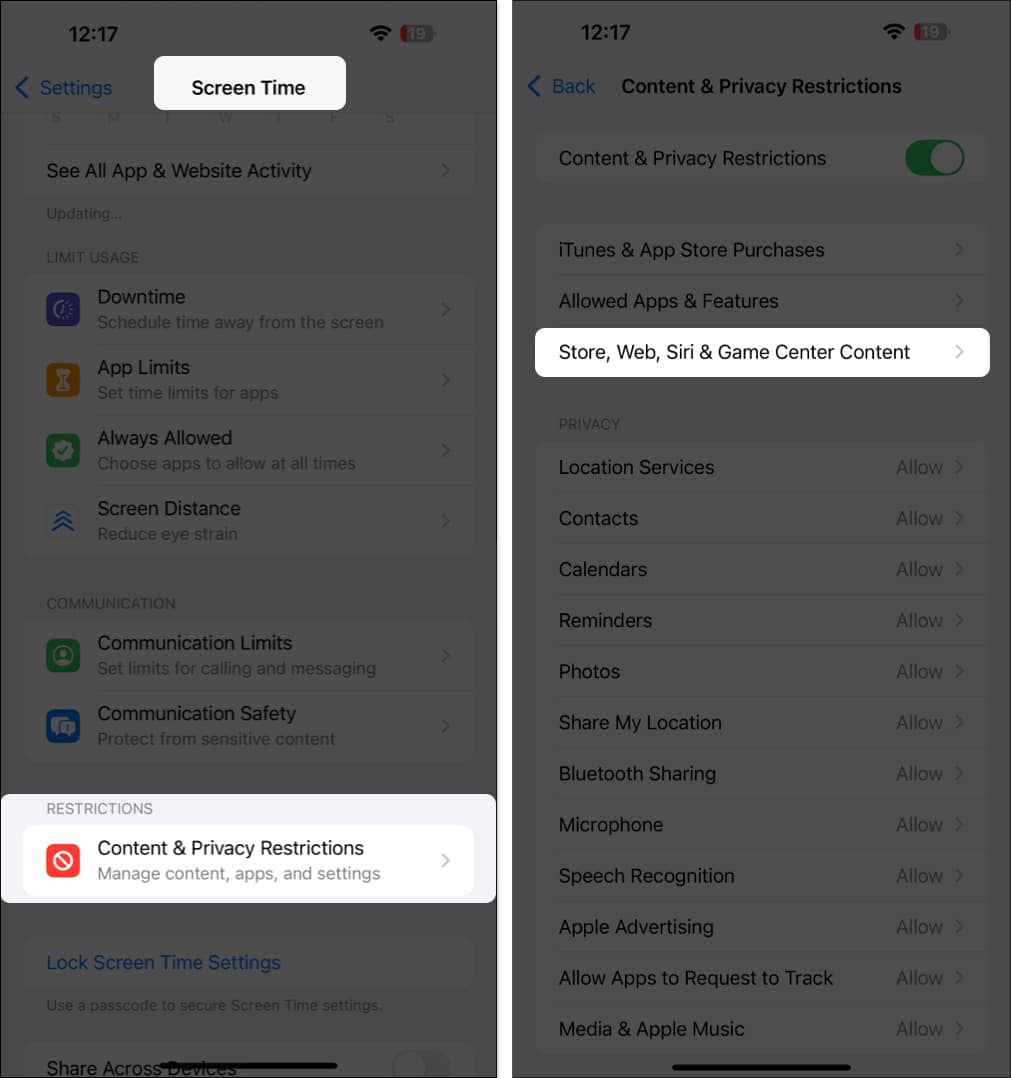
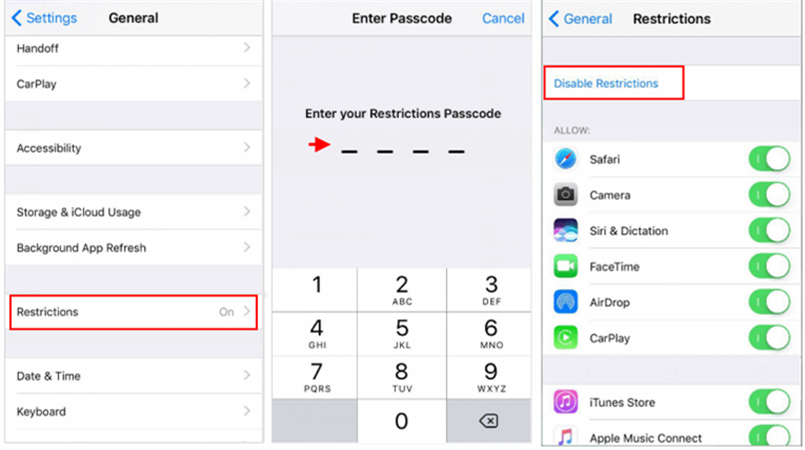
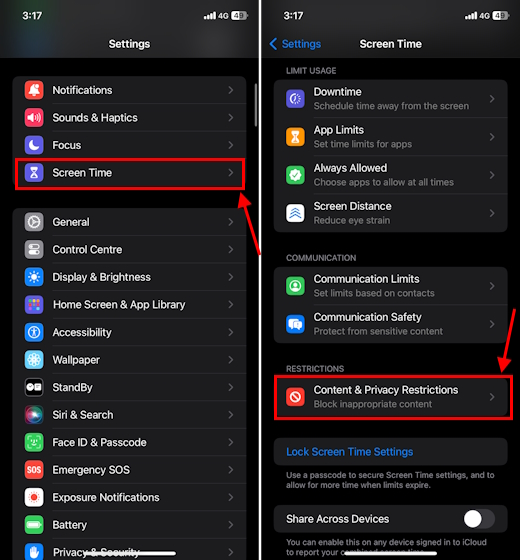
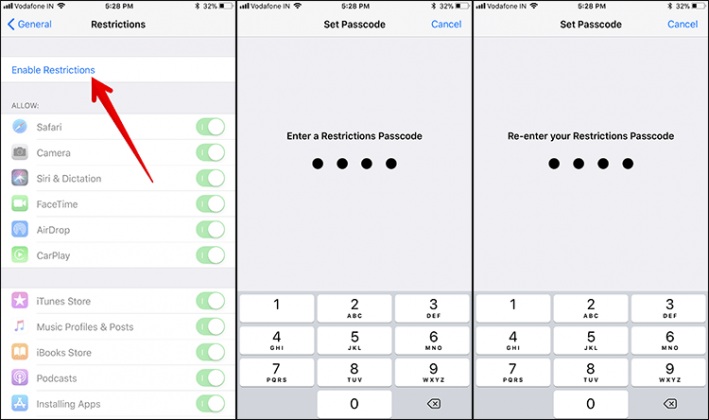
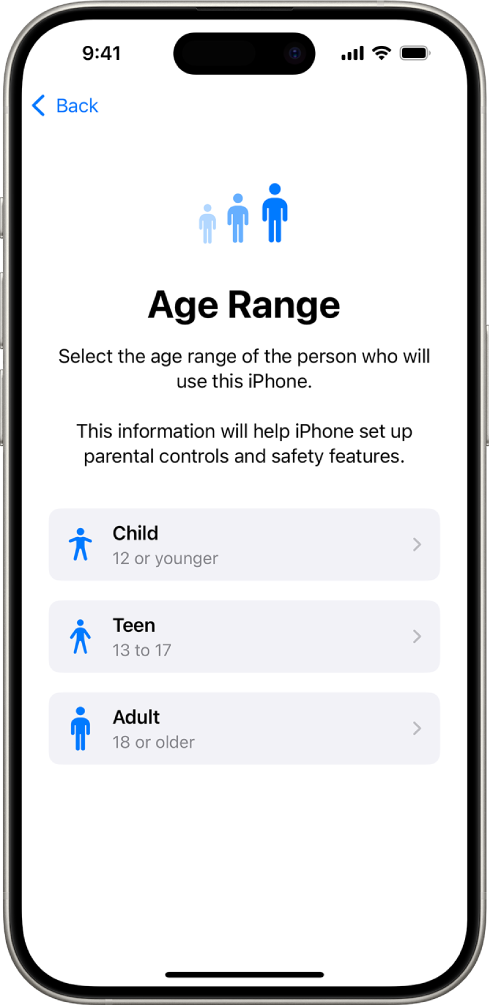
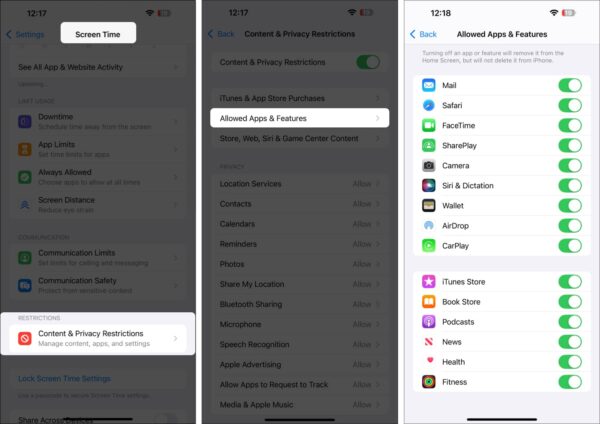
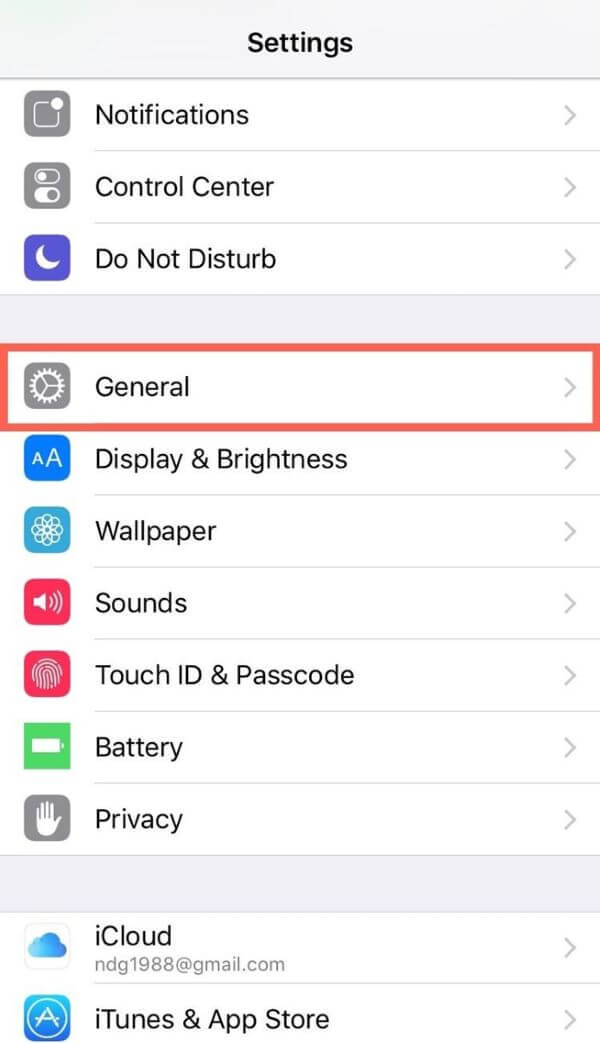
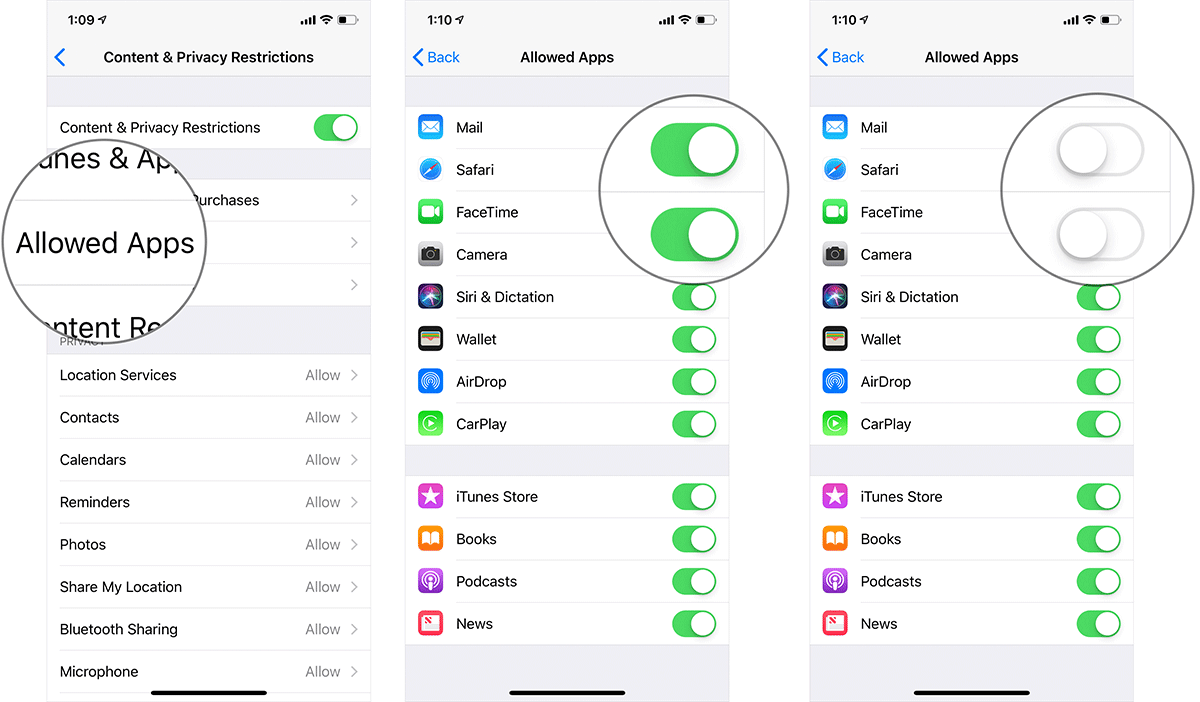
Learning how to set age restrictions on your iPhone allows you to control which applications and media are accessible based on age -appropriate ratings. How to Change Age Restriction on iPhone Open the Settings app on your iPhone . Scroll down the main settings page and tap on Screen Time.
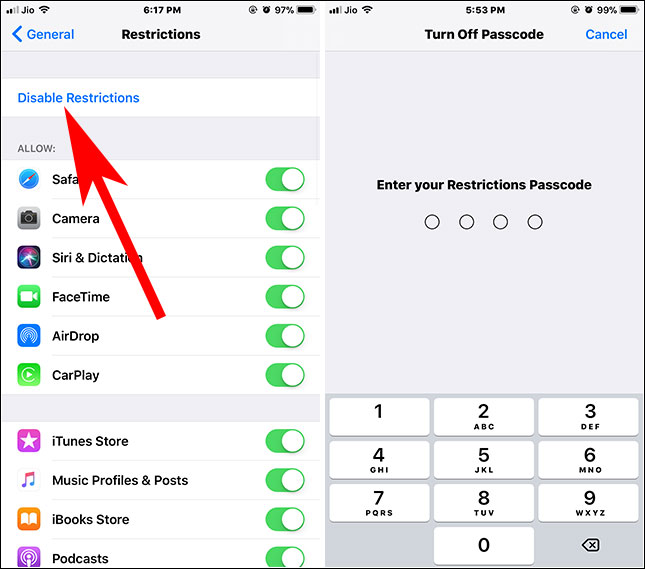
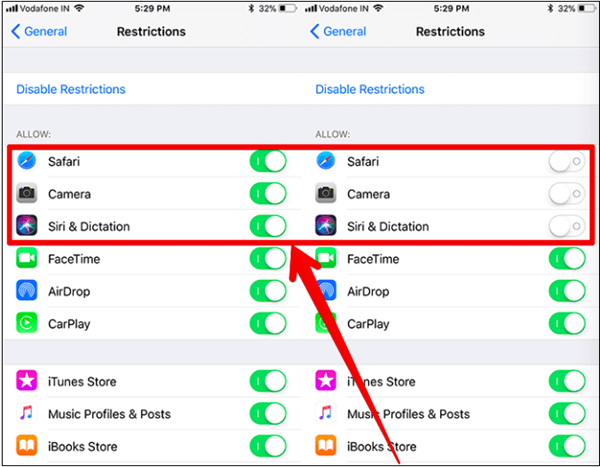
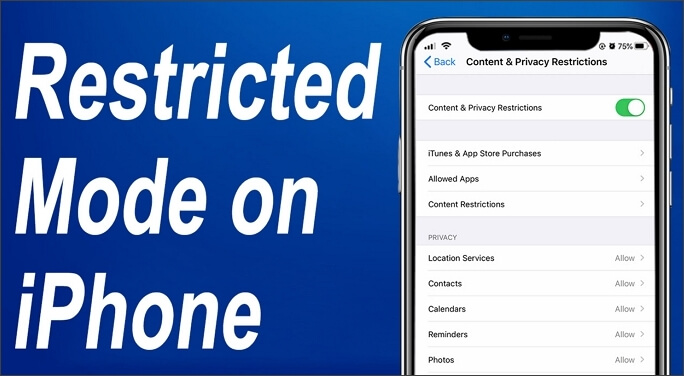
Learn how to restrict apps on iPhone with our step-by-step guide. Enhance security and control access to specific apps easily.
Screen Time provides the option to add App Limits, and this can be used to "block" certain apps that have been used for a certain period of time. For remote-restriction approaches, see our guide on how to automatically restrict a kid's iPhone .
More Context About Hide Age Restricted Apps Iphone
A Guide About How to Hide Apps on iPhone. It gives the article a little more context before the image collection begins.
How to Unhide Apps on Your iPhone Quickly - iGeeksBlog. It gives the article a little more context before the image collection begins.
How to Hide or Block Age Restricted Apps In Iphone | QUICK AND EASY. This note connects the source idea with the visuals in a simple, reader-friendly way.
Looking at multiple sources also helps separate the main idea from small decorative details.
These notes are added so the page offers more than images and gives each visitor a clearer reason to keep reading.